
8 Best Label Makers for Organizing Your Home – Top Choices Reviewed!
A cluttered drawer turns a two-minute task into a ten-minute hunt. An unlabeled spice rack does the same thing in the kitchen. That small daily friction is exactly why the right label maker earns a permanent spot on a counter or desk.
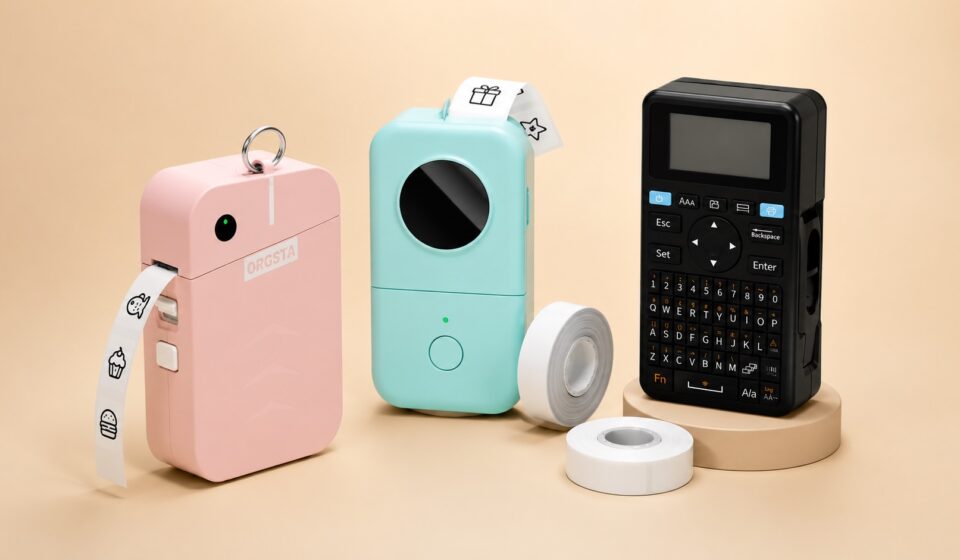
Out of dozens of options crowding Amazon right now, a few genuinely rise above the rest. The Phomemo D30 leads for its enormous template library and low running cost. The Brother PTD220 leads for a completely different reason, a full keyboard and zero app hassle.
This guide breaks down eight of the best label makers you can buy today. Each one gets a clear look at what it does well and where it comes up short. So, whether you want to tag pantry jars or file folders at the office, one of these should fit your setup.
Why Do You Need A Label Maker At Home?
A label maker turns guesswork into a system. Containers, cables, and folders carry clear text instead of handwritten scrawl. That means less time wasted hunting for the right item, and everyone in the house reads the same label the same way. Over time, that small habit builds a genuinely tidier home, one drawer and shelf at a time.
A List of the 8 Best Label Makers for Organizing Your Home
1. Phomemo D30 Label Maker – Massive Template Library
- Excellent for everyday home organization.
- Offers plenty of creative label designs.
- Compact, reliable, and easy to carry.
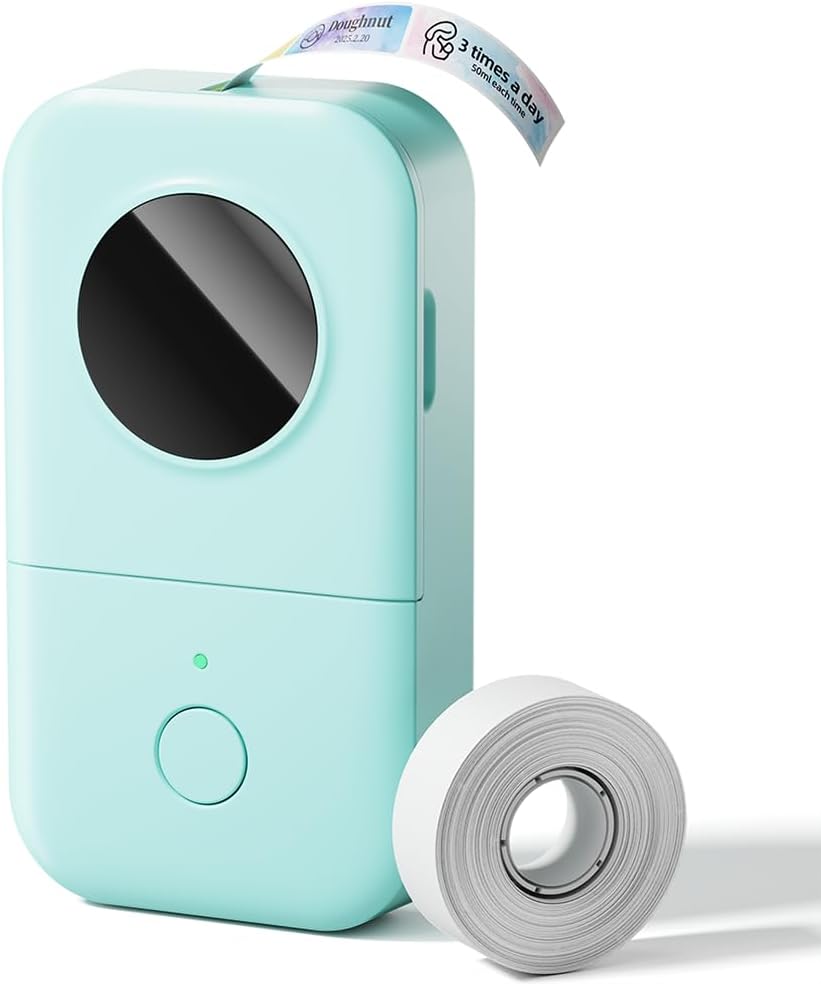
If you want one machine for almost every labeling job around the house, the Phomemo D30 deserves a close look first. It skips ink entirely and relies on thermal printing, so the only ongoing cost becomes tape, and that adds up to real savings over a year of steady use. Setup takes only a couple of minutes since the phone app walks through pairing step by step.
Where this machine really pulls ahead is variety. The app packs in thousands of icons, borders, and premade templates, so a blank screen almost never becomes a problem. Text prints crisp and legible at typical label sizes, and the compact footprint tucks into a drawer without stealing counter space. It handles pantry jars, file folders, and cable tags equally well, which makes it a genuine all-rounder rather than a machine built for one narrow use case.
The app interface takes a little getting used to at first. Two similarly named apps exist for this device, so downloading the correct one matters before anything else. Past that small early hurdle, daily use runs smoothly.
Specs Overview
- 203 DPI thermal printing
- Bluetooth 4.0 connectivity
- Built-in 1000mAh battery
What We Like
- Huge template and icon library.
- Inkless printing saves money.
- Lightweight, pocket-friendly design.
What Could Be Improved
- App setup takes patience.
2. Nelko P21 Label Maker – Budget-Friendly Bluetooth Pick
- Great value without sacrificing essential features.
- Wireless printing keeps labeling simple.
- Ideal for budget-conscious households.
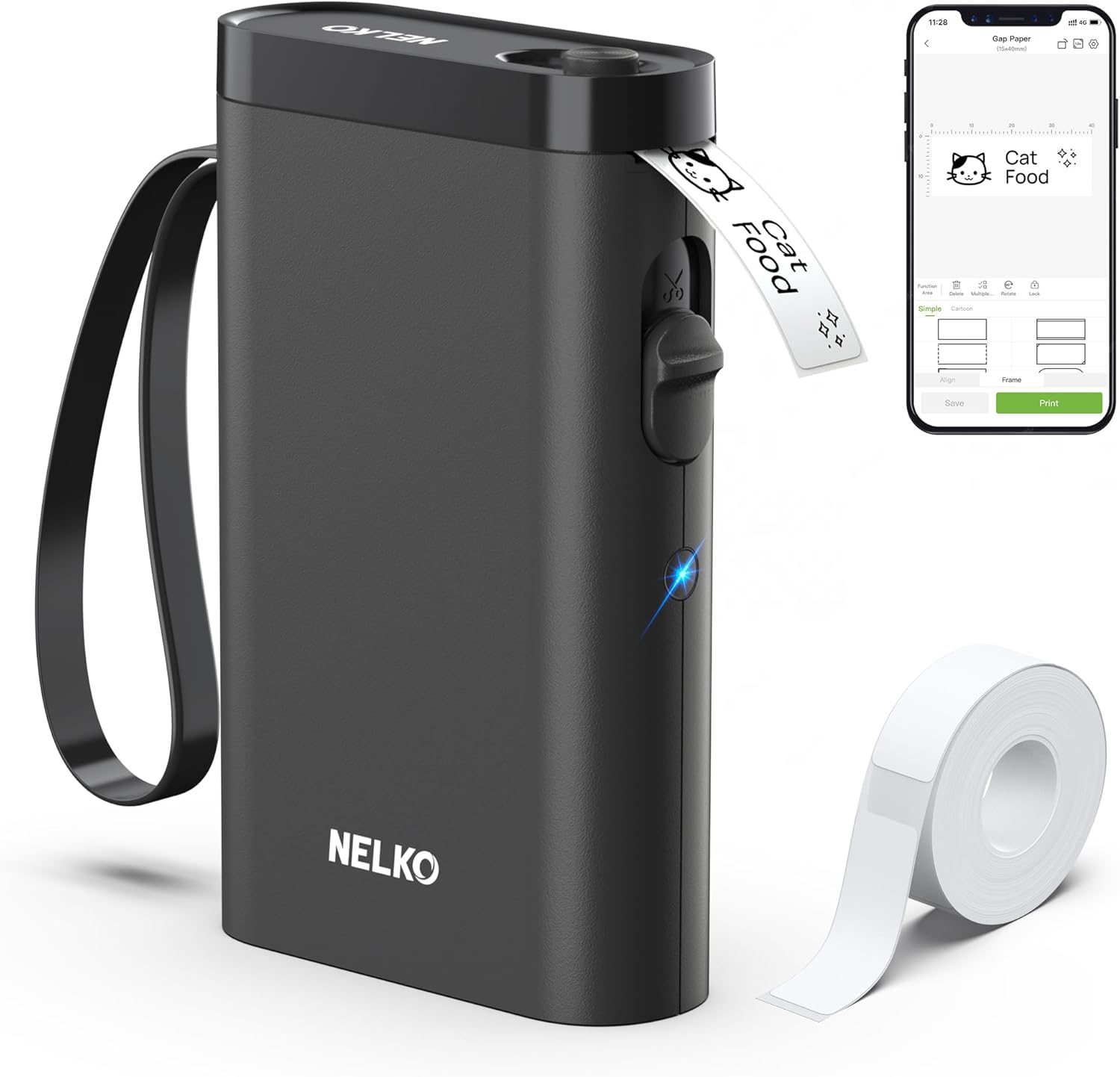
When it comes to stretching a small budget, the Nelko P21 sits near the top of the list easily. It costs less than most rivals here yet still connects wirelessly and prints sharp enough for small text on jars and folders. Pairing with a phone takes under a minute the first time, which matters a lot for anyone who dreads setup screens.
Battery life stands out as a genuine strength on this machine. The built-in cell lasts several days of normal use before it needs a charge again, which beats plenty of pricier competitors on this list. The app brings a solid font and template count for this price bracket, and the whole experience feels more polished than the low cost would suggest.
Print speed is the one tradeoff worth knowing about upfront. It runs slower than the higher-end machines here, so bulk labeling projects will take a bit longer to finish. For everyday home tasks though, that gap rarely becomes a real problem.
Specs Overview
- 203 DPI print resolution.
- 1200mAh rechargeable battery.
- Compact pocket-sized build.
What We Like
- Excellent price-to-feature ratio.
- Long battery life per charge.
- Simple one-minute app pairing.
What Could Be Improved
- Slower print speed overall.
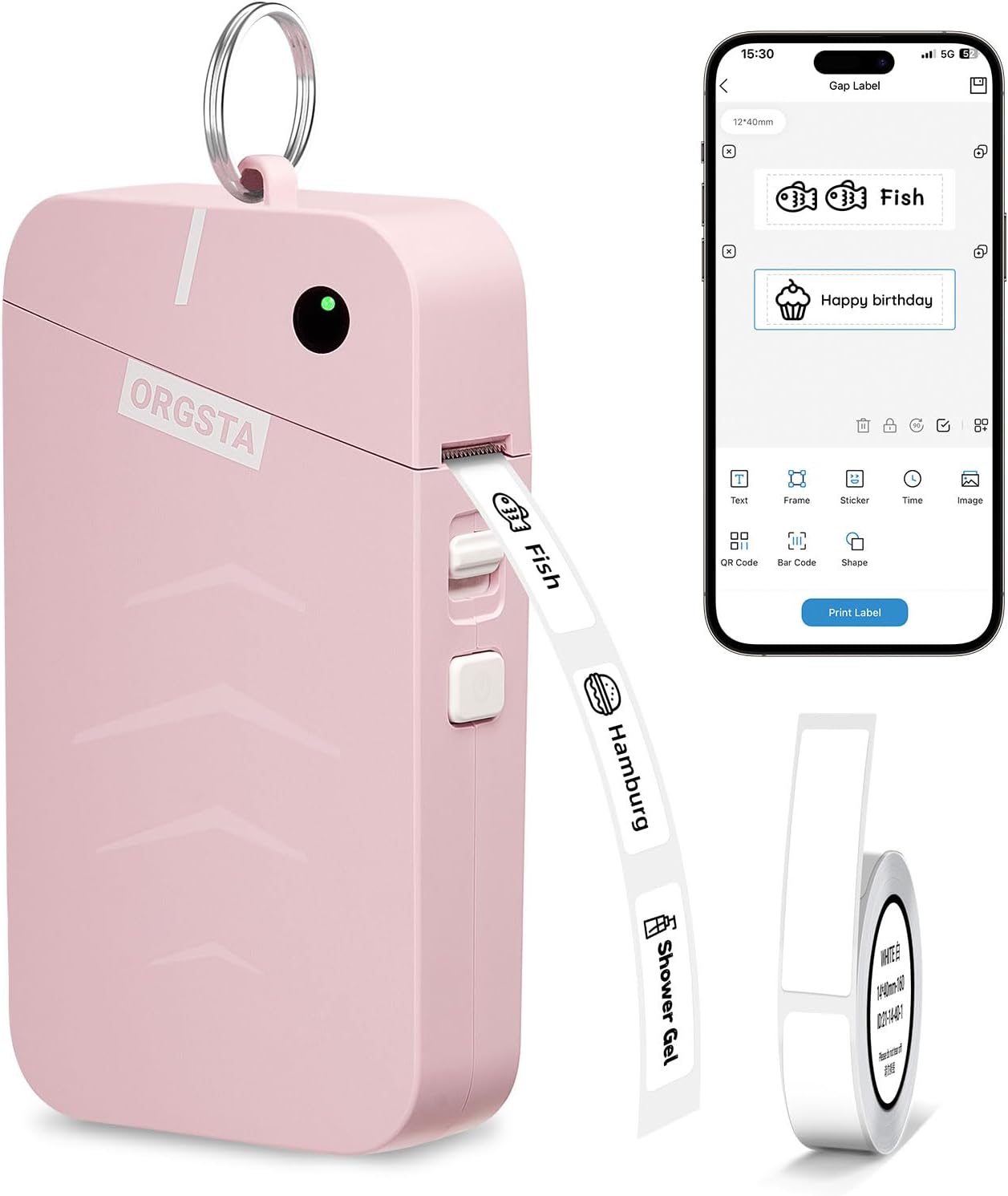
3. ORGSTA S001 Label Maker – Compact Pink Design Option
- Stylish design adds personality to organizing.
- Lightweight enough for daily portability.
- Includes useful extras right out of the box.
If you’re looking for a label maker that looks as good as it works, the ORGSTA S001 delivers a genuinely cute shell without cutting corners on function. A built-in metal ring lets it hang from a bag or hook, and thermal printing means there is no ink to buy or replace over time.
Three rolls of tape ship inside the box, which softens the usual sting of buying refills right after unboxing. Print resolution sits right in line with most competitors on this list, and text stays readable on standard label sizes for jars, files, and school supplies alike. The compact shell fits neatly into a junk drawer or pencil case without adding bulk.
Print speed runs a bit modest next to larger machines. Heavy batch printing projects will feel slower than expected. For casual home use though, that limitation rarely gets in the way of everyday labeling.
Specs Overview
- 203 DPI print resolution
- 35 inches per minute
- Built-in 2000mAh battery
What We Like
- Compact, colorful, and portable design.
- Comes with three tape rolls.
- Easy phone app pairing.
What Could Be Improved
- Modest print speed overall.
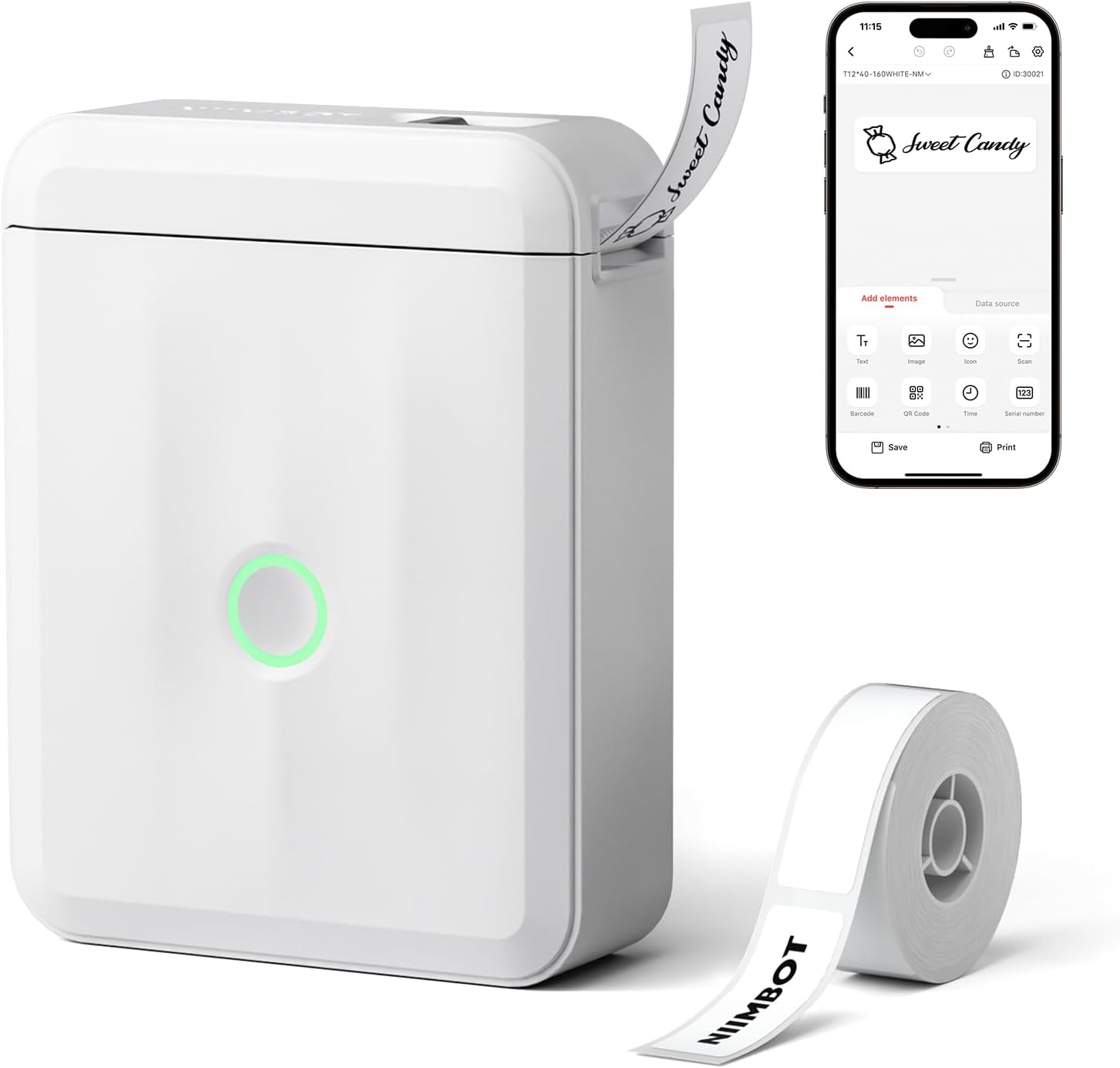
4. NIIMBOT D110 Label Maker – Tiny Size Champion
- Tiny size fits almost anywhere.
- Prints clear labels for small items.
- Perfect for quick organizing jobs.
In today’s crowded label maker market, the NIIMBOT D110 stays the smallest and cheapest option that still gets the job done properly. It slips into a toolbox or junk drawer without a second thought, and thermal printing keeps running costs low since there is no cartridge to track down or replace.
Print quality holds up impressively at this price point. Text stays crisp even on smaller label widths, which makes it a natural fit for spice jars, cable tags, and price stickers around the house. The app covers the essentials well enough for most tasks, though some advanced fonts and graphics sit behind a paid unlock worth knowing about before purchase.
Label width tops out around 15mm on this machine. That means it suits small identification tags rather than wide shipping labels or large signage. Within that narrow lane, it performs reliably every time.
Specs Overview
- 15mm maximum label width.
- USB Type-C charging.
- Lithium-ion rechargeable battery.
What We Like
- Extremely compact and portable.
- Sharp, legible print quality.
- Very affordable entry price.
What Could Be Improved
- Some app features are paywalled.
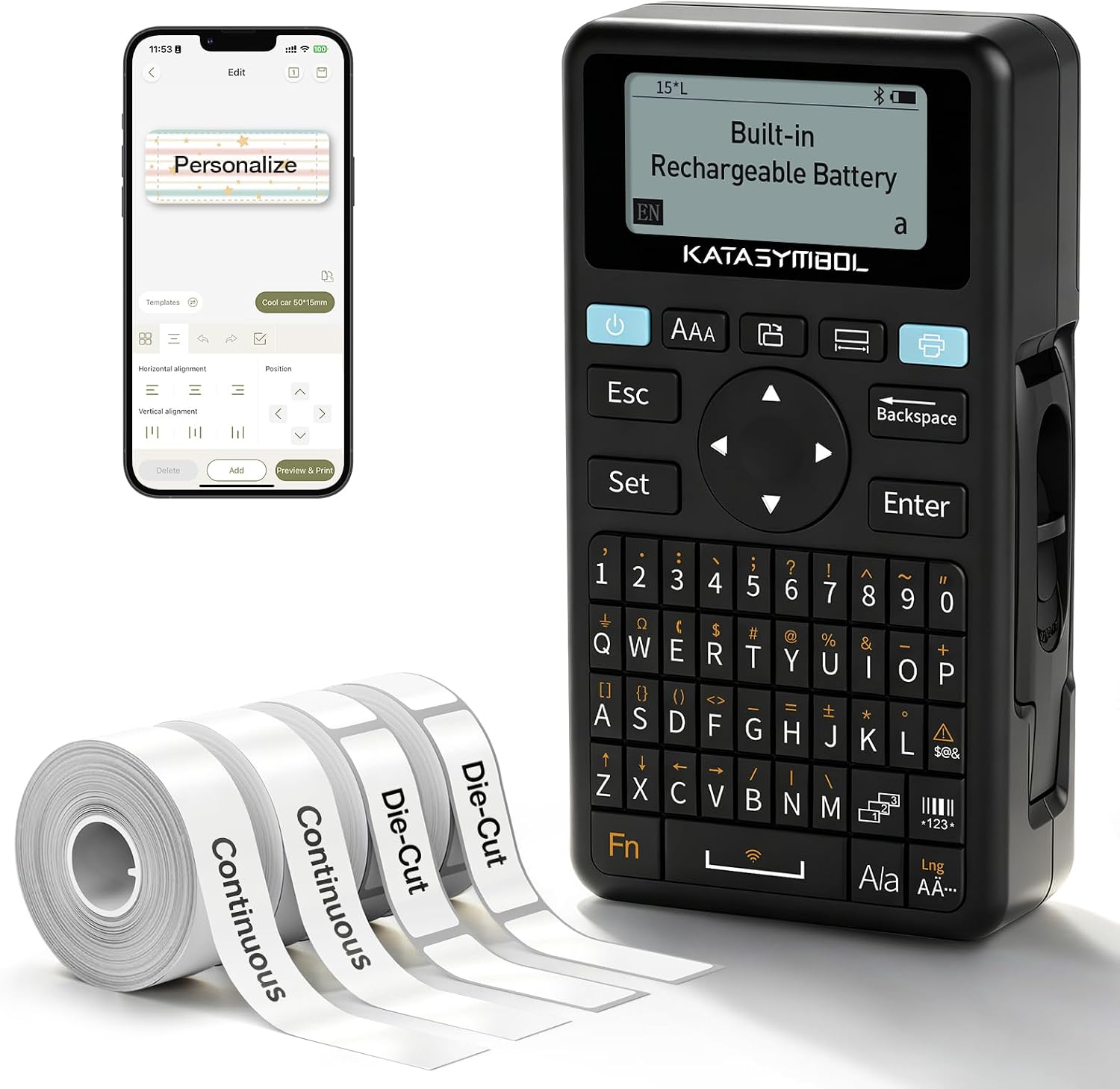
5. SUPVAN E11 Label Maker – Built-In Keyboard Speed
- Physical keyboard speeds up label creation.
- Excellent for frequent daily use.
- Helps reduce wasted label tape.
For anyone who prints labels constantly through the day, the SUPVAN E11 offers something most rivals skip entirely. A physical keyboard lets you type directly onto the machine without opening an app first, which speeds up repetitive labeling around a busy kitchen or office by a noticeable margin.
Battery life on this model runs impressively long. The built-in cell lasts close to a month between charges under normal use, which frees you from constantly hunting for a charging cable. The app adds dozens of fonts, icons, and border options for anyone who wants more design control than the keyboard alone provides, and minimal margin printing wastes noticeably less tape with every label.
The unit feels a touch bulkier than the pocket-sized competitors on this list. That tradeoff makes sense given the added keyboard hardware built into the design. Pure speed and battery life make up for the slightly larger footprint.
Specs Overview
- Physical QWERTY keyboard included.
- 1200mAh rechargeable battery.
- 0.2-inch minimal margin.
What We Like
- Fast keyboard direct printing.
- Long-lasting battery per charge.
- Minimal tape wasted per print.
What Could Be Improved
- Slightly bulkier overall size.
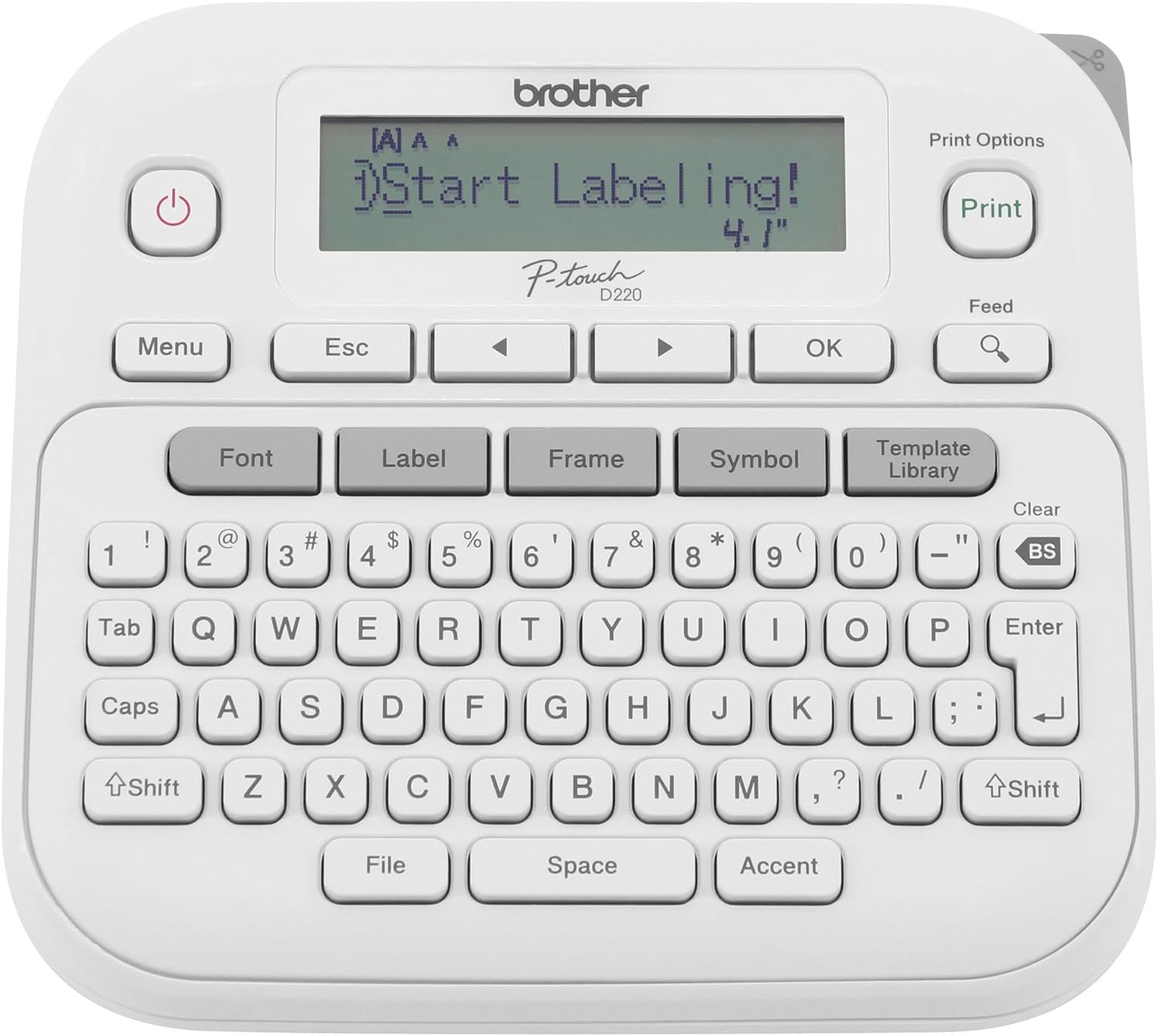
6. Brother PTD220 Label Maker – Trusted Office Classic
- Trusted by homes and offices alike.
- Works completely without smartphone apps.
- Delivers dependable labeling every time.
Few brands carry the same reputation in labeling as Brother, and the PTD220 explains exactly why that trust runs so deep. It swaps the phone app approach for a full keyboard and small screen, letting you type, preview, and print without ever touching a smartphone.
The memory function saves up to thirty frequently used labels, which shaves real time off repeat jobs like filing paperwork or labeling kitchen containers. Adhesive strength on the labels holds up well both indoors and outdoors, and a solid range of fonts, symbols, and frames covers most style needs without feeling limited. Setup takes only minutes since there is no pairing step involved at all.
The screen runs a bit dim in low light conditions. That makes label previews harder to read in dimly lit rooms or closets. A small desk lamp nearby solves that inconvenience easily enough.
Specs Overview
- QWERTY keyboard interface.
- 30 label memory storage.
- 180 DPI thermal transfer.
What We Like
- No app or pairing needed.
- Saves thirty labels to memory.
- Long-lasting adhesive.
What Could Be Improved
- Dim display in low light.
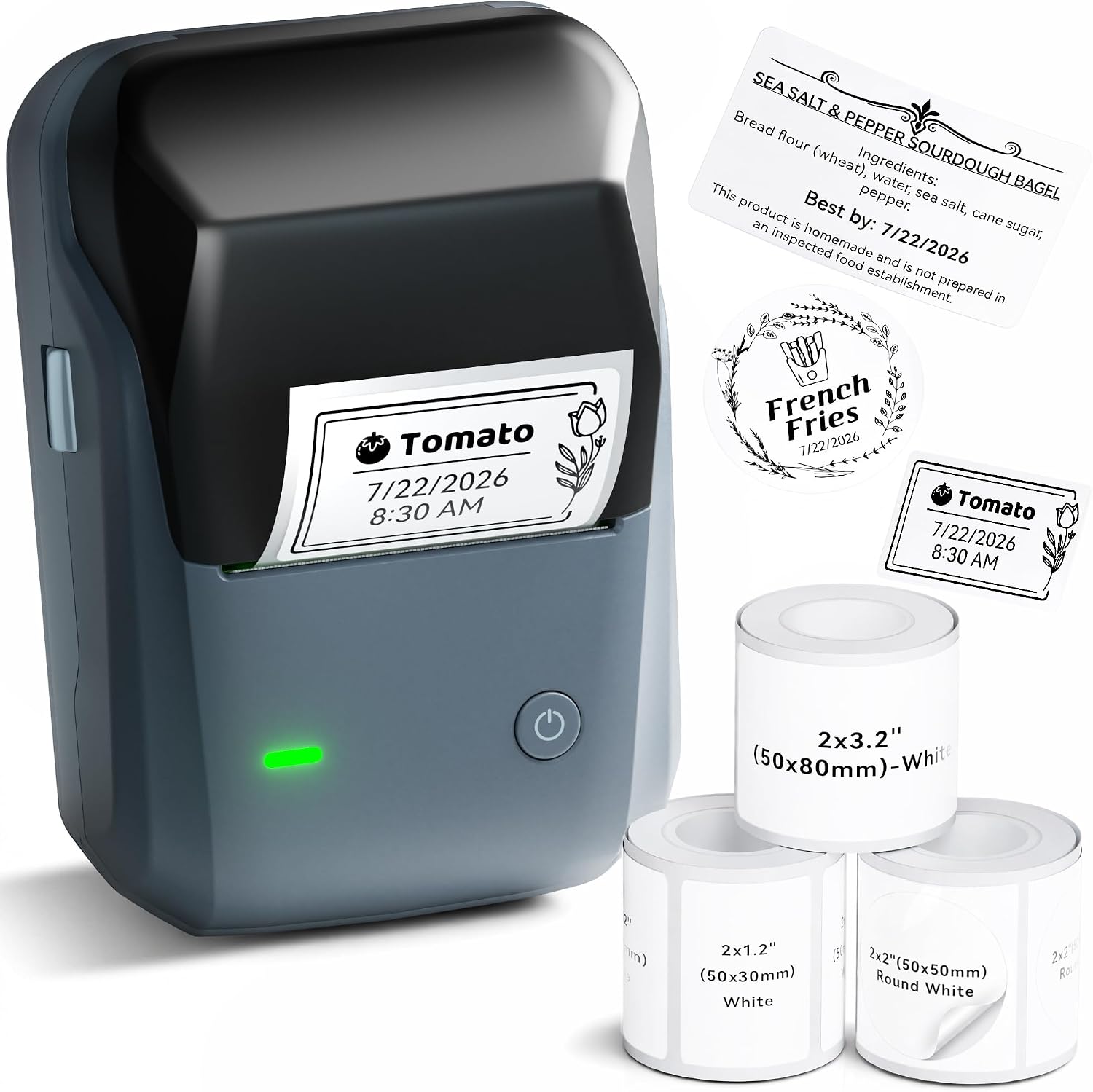
7. NIIMBOT B1 Label Maker – Wider Label Format
- Handles wider labels with ease.
- Excellent for bins and storage boxes.
- Setup stays quick and hassle-free.
When it comes to labeling boxes, barcodes, or larger storage bins, the NIIMBOT B1 steps up with a two-inch print width that smaller pocket models simply cannot match. The label roll drops in and auto-aligns on its own, skipping the fiddly threading process that older label makers demand.
Print speed and resolution hold their own for the price point here. A smart auto detection feature recognizes label rolls the moment the lid closes, cutting out extra setup steps entirely. The design looks sleek enough to leave sitting out on a counter or desk rather than stashed away in a drawer between uses, which matters for anyone who labels things often.
Some app features, such as extra icon packs, sit behind an additional purchase. That can frustrate anyone expecting every feature included for free upfront. Core printing functions still work perfectly fine without paying anything extra.
Specs Overview
- 2-inch print width.
- 1500mAh rechargeable battery.
- 50mm per second speed.
What We Like
- Wider labels for bigger projects.
- Fast auto label loading.
- Sleek countertop-friendly design.
What Could Be Improved
- Extra icons cost more.
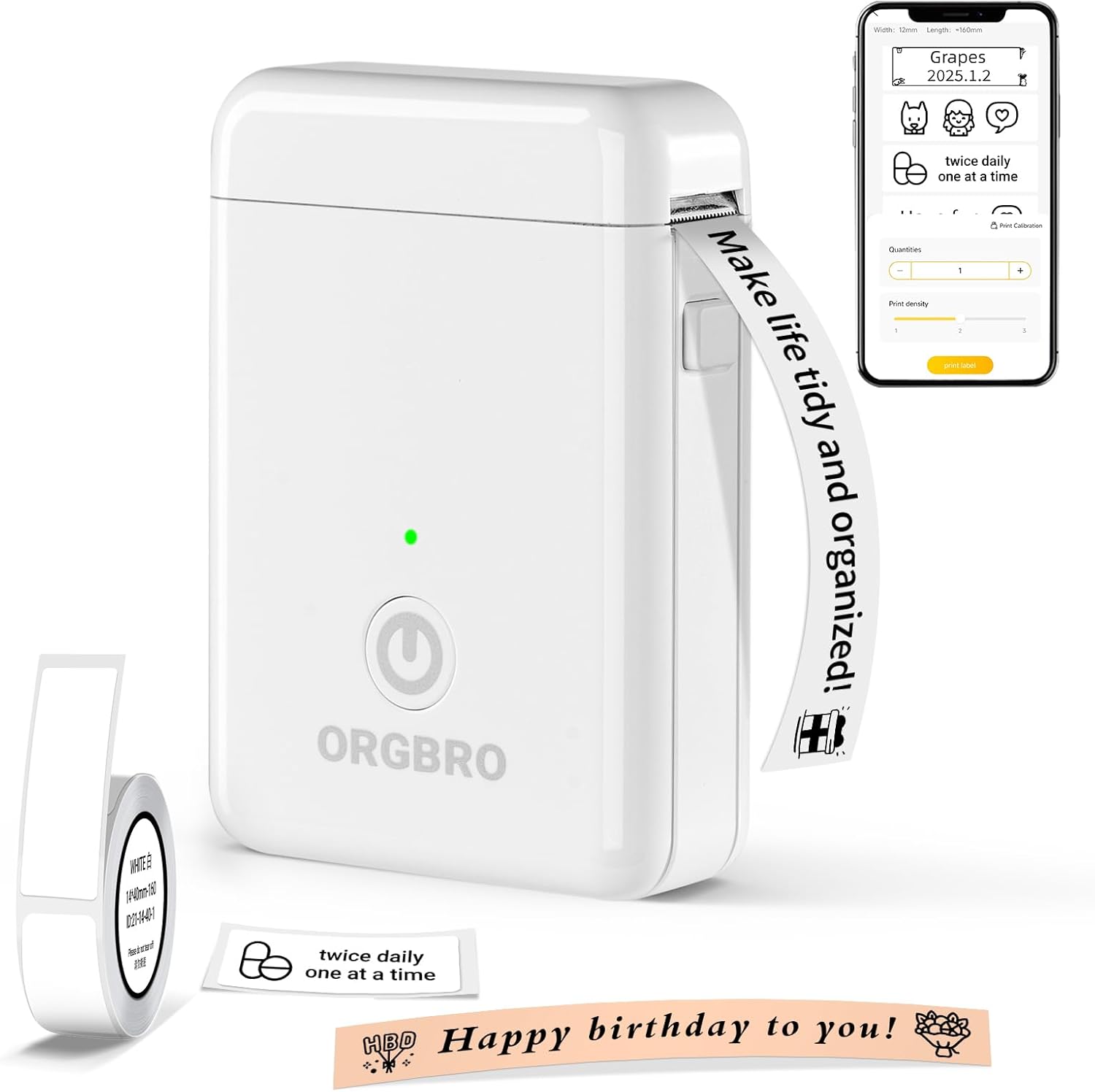
8. ORGBRO X1 Label Maker – Waterproof Tape Option
- Waterproof labels resist everyday spills.
- Supports barcode and QR printing.
- This model works well for both home and small business use.
If you’re the one who needs labels that survive kitchen spills or a damp garage shelf, the ORGBRO X1 pairs waterproof tape with a simple one-handed design. Setup asks for no account or payment upfront, just a quick app download followed by Bluetooth pairing to get started.
The XeasyLabel app brings a wide font and material library along with support for barcodes and QR codes, which suits small business owners tagging inventory just as well as parents labeling school supplies. Battery capacity runs generously compared to similarly priced rivals on this list, so frequent labeling sessions rarely demand a midday charge.
A random color assignment shows up on some listings for this model. That means you cannot always pick your exact shade at checkout time. The machine performs consistently well regardless of which color arrives at your door.
Specs Overview
- Waterproof, oil-resistant tape.
- 2000mAh rechargeable battery.
- One-handed compact operation.
What We Like
- Waterproof durable label tape.
- No account setup required.
- Supports barcodes and QR codes.
What Could Be Improved
- Random color on some orders.
Our Selection Process For The Best Label Makers
To build this list, we looked beyond product pages and star ratings. We compared expert reviews, manufacturer specifications, and long-term feedback from real users on Reddit and Quora to identify recurring strengths and weaknesses. Print quality, label durability, ease of use, app performance, tape costs, and overall value were the key factors in our evaluation.
But we didn’t stop there. We personally tested five of the eight label makers. We judged them on print clarity, ease of setup, and overall value for money. The remaining three models earned their place through consistently outstanding expert recommendations and positive long-term feedback from real users. That’s how these 3 also gave us confidence they deserve to be on this list.
If you want to simplify your space beyond just labels, our piece on Start Simple Living in a Fast-Paced World pairs nicely with this guide.
What To Look For In Best Label Makers For Organizing Your Home
Picking the right label maker gets much easier once you know which specs actually matter day to day and which ones are just marketing noise. Here is what deserves real attention before you buy.
1. Print Resolution And Clarity
Print resolution decides how sharp your text looks once it comes off the machine. A higher DPI keeps small fonts legible even on narrow label widths, which matters most for spice jars, cable tags, and anything printed in a compact size. Most machines on this list sit around 203 DPI, which handles typical home organization tasks without any trouble.
2. Battery Capacity And Charging
Battery capacity decides how often you end up reaching for a charging cable. A larger mAh rating usually stretches across several days or even weeks of normal use before a recharge becomes necessary. USB-C charging has also become the standard across most modern models, which keeps things simple if you already own other USB-C devices around the house.
3. App Reliability And Features
App reliability can genuinely make or break the whole experience with a Bluetooth label maker. Some apps demand account logins just to get started, and others hide fonts or templates behind paywalls after you have already paid for the hardware. Reading recent feedback before buying helps avoid machines with a history of app crashes or awkward interfaces.
4. Tape Compatibility And Cost
Tape compatibility deserves close attention since most brands lock buyers into their own proprietary rolls. That decision shapes your ongoing cost for years after the initial purchase, so checking refill pricing before committing to one ecosystem saves money and frustration down the line. Waterproof or laminated tape options also matter if labels will face moisture or handling.
5. Physical Design And Portability
Physical design shapes how a label maker fits into daily life. A keyboard model like the Brother PTD220 suits a stationary office desk perfectly well, while a pocket-sized Bluetooth option fits better for organizing on the go around the house. Weight, size, and one-handed operation all factor into which style actually gets used regularly versus which one ends up buried in a drawer.
FAQs
Do label makers need special tape refills?
Most brands sell proprietary tape sized specifically for their machine. Refills usually cannot cross over between brands, so always check compatible tape width before buying anything.
Are Bluetooth label makers reliable for daily use?
Yes, though app quality varies quite a bit between brands. Reading recent feedback first helps you avoid units with a history of connection drops or clunky interfaces.
Which label maker suits small businesses best?
Wider format machines like the NIIMBOT B1 handle barcodes and larger tags well. Keyboard-driven options like the Brother PTD220 also work great for repetitive office labeling tasks.
Conclusion – A Few Final Words!
Picking from eight solid label makers really comes down to matching the machine to your actual routine rather than chasing the flashiest spec sheet on the box. Casual pantry organizing rarely needs the same tool as a small business printing barcodes every single day, and that difference should guide your final decision more than anything else.
For most households, the Phomemo D30 earns its spot as the strongest all-around pick thanks to its enormous template library and reliable print quality at a fair price. If keyboard typing and zero app hassle sound more appealing instead, the Brother PTD220 delivers dependable results without ever needing to pair with a phone.
Whichever label maker ends up on your counter, pairing it with a clear organizing habit like the Maybe Box Method helps the labels actually stick as part of a lasting system. That beats treating this purchase as just another one time weekend project that fades within a month.